What Is Microsoft Teams Phone? A Business Buyer's Guide

Updated: Sep 24
Your team already uses Microsoft Teams for meetings, chat, and file sharing. The desk phone in the office and the mobile line for after-hours calls sit outside all of it, on a separate bill from a separate provider.
Microsoft Teams Phone closes that gap. For most businesses already inside the Microsoft 365 ecosystem, it changes the phone system conversation entirely.
Quick Answer
Microsoft Teams Phone is a cloud-based business phone service that adds full calling capability directly to Microsoft Teams. It replaces traditional PBX hardware and standalone VoIP platforms by consolidating desk phones, laptops, and mobile devices into a single Microsoft-integrated communications system. For most businesses already using Microsoft 365, it is the natural next step in reducing communication vendor sprawl and cutting monthly phone spend.
What Microsoft Teams Phone Actually Is
Microsoft Teams Phone is a cloud calling service that turns the Microsoft Teams app into a full-featured business phone system, allowing users to make and receive external calls from any device (desk phone, laptop, or mobile) using a single business phone number.
The key structural point is that it is not a separate phone product bolted onto Teams. Calling capability is built into the same interface staff already use for meetings, chat, and file collaboration. One app, one identity, one experience across every device.
How Microsoft Teams Phone Works
The mechanics are simpler than most legacy phone systems.
A business phone number is assigned to a user through their Microsoft 365 identity. When someone dials that number, the call rings simultaneously on any device the user is signed into: desk phone, laptop, or mobile. The user answers wherever they are.
Outbound calls work the same way in reverse. The user places the call from Teams on any device, and the recipient sees the business phone number as caller ID regardless of what physical device the call originated on.
There is no on-premise PBX. There is no separate carrier account to manage. The phone system lives inside Microsoft 365 alongside email, calendar, and collaboration.
What Features Does Microsoft Teams Phone Include?
The feature set covers everything a traditional business phone system offers, plus capabilities that legacy systems typically cannot.
Standard features include:
Direct inbound and outbound calling with a business phone number
Voicemail with transcription to email
Auto-attendants and call queues
Hold, transfer, and consultative transfer
Call recording with appropriate licensing
Ring simultaneously across desk phone, laptop, and mobile
Microsoft 365-integrated features add:
Meeting escalation (turn a call into a Teams meeting in one click)
Direct calling from Outlook contacts and calendar
Native mobile app with the same feature set as the desk experience
Presence integration (see who is available before calling)
Compliance recording and retention tied to existing Microsoft 365 policies
The Federal Communications Commission has approved the ongoing transition from traditional telephone networks to internet-based voice services. Microsoft Teams Phone is one of the most complete implementations of that shift.
Who Is Microsoft Teams Phone Best Suited For?
Not every business is a fit, but the target profile is wide.
The strongest fit:
Businesses already using Microsoft 365 for email and collaboration
Hybrid or fully remote teams that need consistent communication across locations
Growing businesses that add or move users frequently
Companies looking to consolidate multiple communication vendors
Businesses with aging on-premise PBX hardware nearing end of life
Less strong fit:
Businesses fully committed to a competing collaboration platform
Single-location operations with fully depreciated PBX hardware and no growth plans
Environments with unreliable internet and no backup connectivity path
For most small and mid-size businesses in Northern Virginia and the DC metro area, the fit is straightforward.
Why the Consolidation Matters Beyond Cost
The most visible benefit is the monthly bill. Most businesses report ten to thirty percent savings compared to traditional office phone systems once separate PBX contracts, per-line charges, and mobile carrier duplication are removed from the total.
The less visible benefit is security. When phone, email, chat, and file storage all sit inside the same Microsoft 365 identity, security controls apply uniformly. Multifactor authentication, conditional access, and audit logging cover the phone system the same way they cover email. The Cybersecurity and Infrastructure Security Agency treats unified access control as a foundational practice for small business networks. In a separate PBX or third-party VoIP platform, security often runs on a different set of rules that IT has to manage separately.
This is what separates a communications upgrade from a communications strategy.
Why Local Implementation Matters
Microsoft licenses the software. Somebody still has to design the call routing, port existing phone numbers without service interruption, configure desk phones and mobile apps, and train staff.
MP Managed Solutions is a veteran-owned managed services provider serving Northern Virginia, Maryland, and the Washington DC metro area. Microsoft Teams Phone deployments sit alongside managed IT services, managed print services, and office equipment, all supported by the same local team.
That structure matters when the phone system needs to change the week before an audit or when a new office opens and needs working communications on day one.
Frequently Asked Questions
Do I need Microsoft 365 to use Microsoft Teams Phone? Yes. Microsoft Teams Phone requires a Microsoft 365 subscription with an appropriate Teams Phone license. For businesses not currently using Microsoft 365, migrating to the platform is a prerequisite. Most businesses in Northern Virginia and the DC metro area are already on Microsoft 365 for email and collaboration, which makes Teams Phone a natural extension rather than a separate technology adoption.
Can I keep my current business phone numbers? Yes. Existing phone numbers can be ported to Microsoft Teams Phone through a standard regulated process. The port typically takes one to four weeks depending on the current carrier. A properly managed migration happens with no interruption to inbound or outbound calls during business hours. Number porting is included in a properly structured managed services agreement.
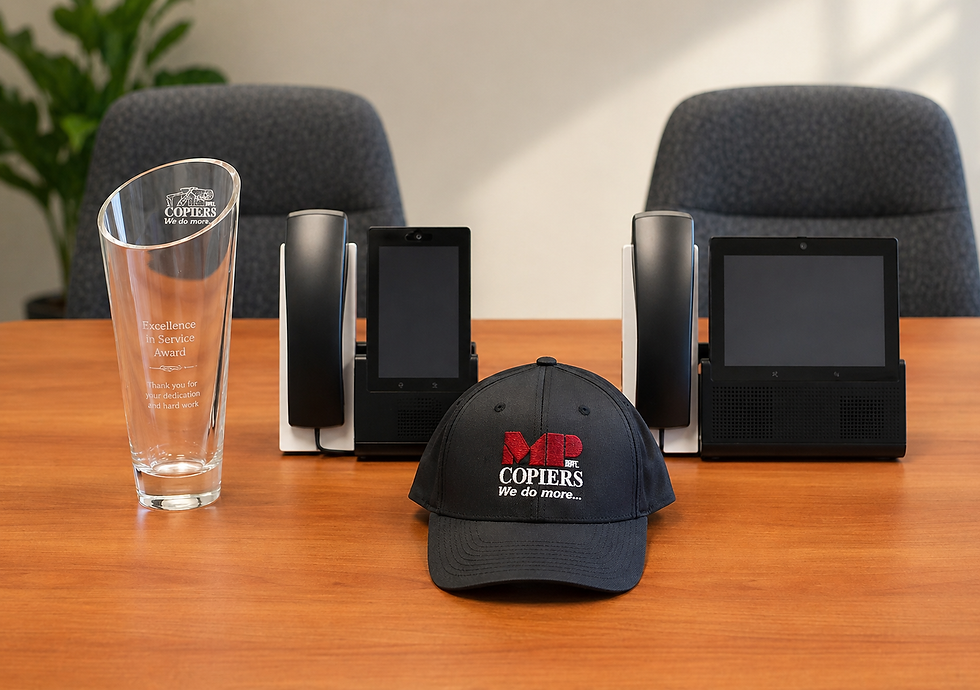
Does Microsoft Teams Phone work on regular desk phones? Yes. Microsoft certifies a range of desk phones that work natively with Teams Phone, offering the same experience as the app but on physical hardware. This matters for reception areas, conference rooms, and staff who prefer a traditional handset. The desk phone rings on the same business number as the user's laptop and mobile app.
What happens to calls during an internet outage? Microsoft Teams Phone depends on internet connectivity, but calls automatically forward to mobile devices during an outage when configured properly. A business-grade internet connection with cellular failover or a secondary internet path largely eliminates practical downtime. This configuration is part of a properly implemented migration and should not be an afterthought.
The Real Lesson
Most business phone systems were designed for a world where staff sat at desks and calls stayed inside the office. That world is gone, and the phone system in the supply closet is still trying to serve it.
Better communication outcomes come from a platform that consolidates desk phone, laptop, and mobile into a single Microsoft-integrated experience, implemented by a local team that supports the rest of the technology stack too.
Talk to MP Managed Solutions about Microsoft Teams Phone to see whether your current setup is a fit for migration.


Comments